Pre-Loading Agent VMs With Team Dependencies and Tooling
Pre-loading dependencies and tools lets agents build and test without wasting time on setup.
Pre-loading agent VMs with a team’s actual dependencies and tooling turns a cloud agent from a slow, unreliable script runner into a useful engineering collaborator. The environment matters as much as the model or harness because the agent needs it to build, test, and verify its work. A setup that works reliably has prepared disk state, services that have started correctly, and isolation that gives each task a known starting point.
Why a cloud agent's environment shapes what it can actually do
Even a capable agent can spend its early cycles finding dependencies and installing tools, delaying work on the task. That frustration exposes a gap between local and cloud development. A developer’s machine carries months of accumulated setup, including tooling, credentials, and dependencies. A cloud VM carries only what someone deliberately put there. When those essentials are missing, an agent that seems unreliable is often failing because of its environment.
The move from an IDE copilot to a cloud agent therefore changes where the quality ceiling sits. An IDE copilot is bounded by the model and prompt while working within an already prepared development setup. A cloud agent is also bounded by whether its environment matches the codebase. It cannot reliably substitute for a developer if it must reconstruct that developer’s workspace on every run. Moving work into the cloud is consequently an operational change.
What "pre-loading" actually means in a VM-based agent environment
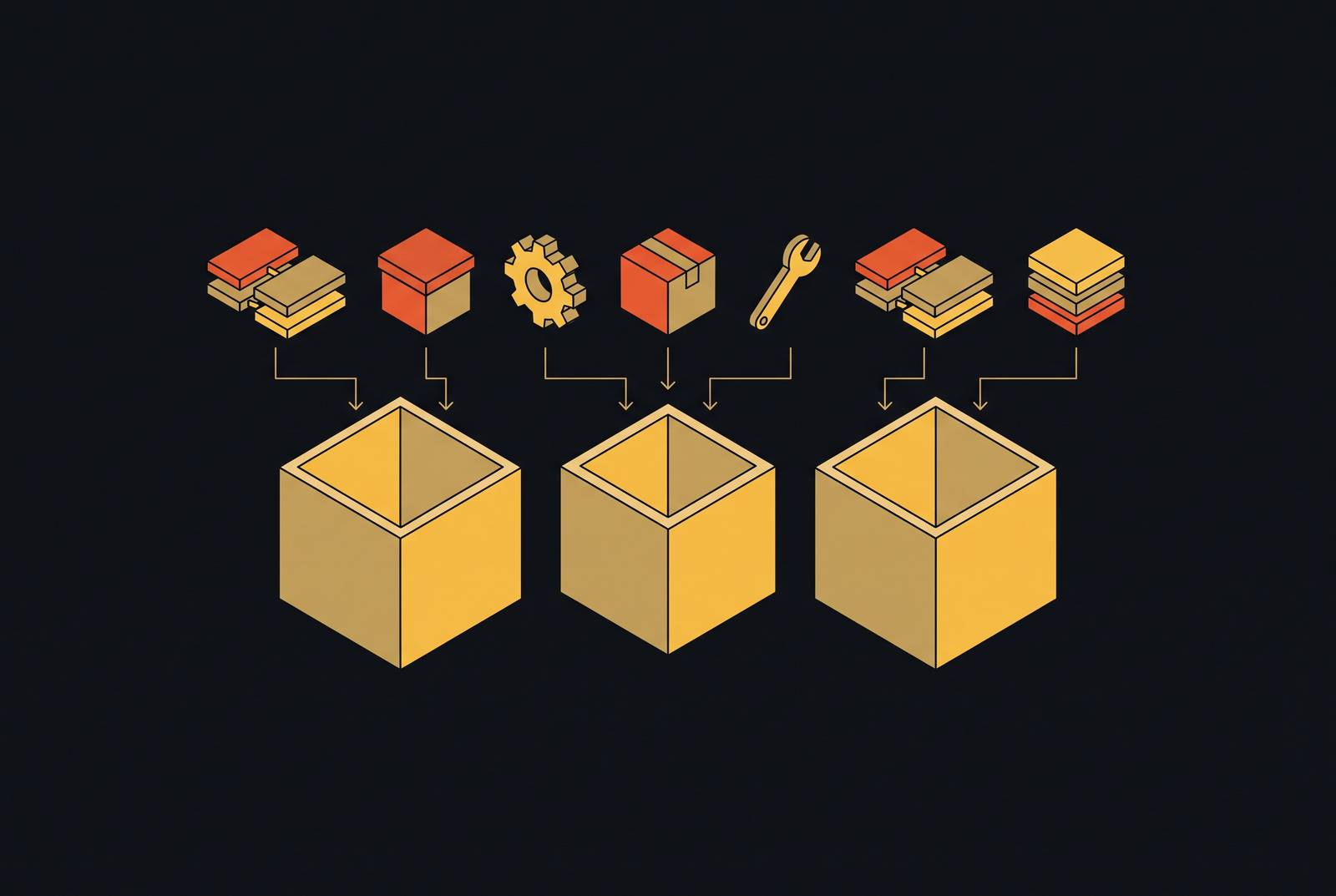
Pre-loading means placing the team’s actual dependencies, services, and tooling in the environment before the agent begins its first task. The agent inherits a ready workspace with two distinct layers, which are static artifacts and running services. Static artifacts include language runtimes, package managers, installed libraries, compiled artifacts, and warmed disk caches. Running services are the databases, Docker, tunnels, and background processes that the codebase expects to find.
A snapshot captures the OS, installed packages, dependencies, and configuration so that new runs can boot without provisioning everything from scratch. Persistent volumes can supply datasets, dependencies, or cloned repositories across multiple environments without copying them each time. These mechanisms serve different purposes. The snapshot holds the machine’s prepared state, while a persistent volume holds selected disk contents that are available outside any one environment.
The decisive configuration boundary is between install and start. Install runs while the snapshot is being prepared and handles dependency installation, code generation, compilation, and cache warming. It must be idempotent because preparation can run repeatedly over previously prepared disk state. Start runs at the beginning of each agent session and launches Docker, databases, tunnels, and other required processes. A database start command belongs in start because preparing its files is different from having the service available during a task. Putting that command in the wrong phase can eliminate the speedup that snapshot-based pre-loading was meant to provide.
The performance cost of skipping pre-loading, shown in concrete terms
Cursor’s Builds feature, shipped on 13 August 2026, provides a concrete example of the performance benefit. Builds prepares ready-to-use copies of a development environment in the background, allowing cloud agents to boot into a prepared state. Cursor says it cut environment boot times by 10x compared with agents that set up from scratch. Wholesale marketplace Faire reported that its largest, most complex repositories now start in a few seconds after adopting Builds.
Failed builds do not activate, so agents keep using good environments while a broken configuration is debugged offline. Cursor includes Builds with Cloud Agents at no additional cost.
An agent that spends its early minutes installing packages consumes time and budget before writing relevant code. That overhead repeats when multiple agents work in parallel across a team’s tasks. The aggregate cost matters even when any single installation seems tolerable.
Isolation is not just a security requirement — it is what makes pre-loading reproducible
A known-good snapshot is useful only if one run cannot corrupt the environment another run depends on. Configuration defines the starting state, but isolation protects that state from unrelated work. Ephemeral, isolated VMs provide the appropriate task boundary for pre-loaded agents. Each task receives its own VM booted from a known snapshot, and that VM is discarded when the task ends.
Ramp’s engineering team made this choice when building its background coding agent, internally called “Inspect.” Ramp chose separate ephemeral environments for each agent task using sandboxed VMs to avoid state leaking between runs. A prepared environment is not reproducible merely because its original configuration was correct. The boundary between tasks must also keep side effects from earlier tasks from changing what the next agent finds.
Persistent environments still make sense when keeping cached dependencies and intermediate results cuts the work of recreating them. The trade-off is that state builds up, since side effects from earlier sessions can still change how later sessions behave. Persistent volumes offer a way to share dependencies without tying that benefit to a single long-lived environment. That distinction does not replace security hardening, which belongs in the environment specification. A well-configured sandbox uses a non-root container, read-only mounts, strict timeouts, and network egress filtering through an allowlist, while secrets stay outside the sandbox. Filesystem and network isolation must work together because using either boundary on its own leaves a gap that a compromised agent can exploit.
What the environment needs to contain — a practical inventory for engineering teams
These boundaries determine what a production-grade agent VM needs to contain and how each part should be provided. The language layer starts with the exact runtime version the codebase targets. Package manager dependencies should already be installed and cached so the agent does not need to contact package registries during the task. Where builds are slow, compiled artifacts and generated code belong in the prepared disk state. Warming those caches makes the preparation useful both to the session that performed it and to subsequent runs.
The service layer supplies the processes required to exercise the code. If development or testing uses containers, the Docker daemon belongs in the session’s start phase. Local database instances must also be available when the test suite expects them. The agent should be able to run the full test suite without having to rely on external dependencies. Any tunnels or proxies needed to reach internal services likewise belong in runtime startup.
Project configuration files spell out the conventions that a developer would otherwise learn when joining the project. Files such as AGENTS.md or CLAUDE.md can carry reusable context, including task boundaries, project rules, domain knowledge, and pull request standards. The repository itself also needs to be present. A pre-cloned repository on a persistent volume avoids re-cloning it for every run.
Secrets should be supplied at runtime through a secrets manager or environment variable mechanism. The agent should receive only the repository, service, and credential access its task requires. This principle of least privilege separates workspace readiness from unrestricted access. A VM can have the tools needed to do the work without having permanent access to every system those tools support.
How the environment specification connects to agent harness choice
When the VM carries the dependencies and tooling the codebase needs, any compatible agent that can boot into it can begin real work. That is the practical basis for using Claude Code, Codex, Cursor, or Opencode against the same environment without rebuilding it for each. The environment defines what the project requires. The harness determines how the agent works within those requirements.
Different harnesses make that separation valuable for different reasons. Claude Code is a terminal-based agent that is well suited to complex reasoning across multiple files and decisions about architecture. It works directly with Git to create branches, commit changes, and write drafts of pull request descriptions. It also reads project configuration files, and CLAUDE.md can spell out the project’s code style conventions. Those conventions should be treated as configuration rather than an assumption that the agent will automatically infer the intended style.
Cursor’s Cloud Agents run in isolated VMs and can spawn parallel sub-agents in separate isolated VMs to handle discrete parts of a task. Its Builds feature supplies snapshot-based pre-loading at no additional cost. Opencode is a supported harness in multi-agent platforms alongside Claude Code and Codex. These agents have different capabilities, but they all still need the codebase’s actual runtime, services, and tools.
Conversely, harness lock-in can begin as environment lock-in. If a team’s only prepared workspace is inseparable from one harness’s setup tooling, switching agents means rebuilding the environment. Specifying that environment independently as a VM image or snapshot preserves the ability to swap or combine agents as better models ship. Engineers can then trigger tasks from Slack, Linear, GitHub, or GitLab and get pull requests back without keeping a separate environment for each harness. Analytics that attribute runtime to the source, harness, model, and credential make comparisons empirical.
Connecting the environment to team-wide workflows and measurable output
A reproducible environment lets teams hand off more work because each task starts from a known state free of the leftovers from earlier work. Adoption can therefore proceed in stages, beginning with tests and small bug fixes that have a low blast radius and are easy to verify. The next stage is low-risk refactors and dependency updates. Those tasks depend on reliable execution of the full test suite, which requires the database and build tooling to be present. Teams can then hand off documentation sync and cross-module feature work, using project configuration to spell out the conventions the agent needs to follow.
Clean per-run boundaries support attribution of a pull request to its harness, model, and credential. A shared or contaminated environment makes that attribution ambiguous because the work no longer has a clean operational boundary. Teams tracking cycle time from issue to merged PR, change-failure rate, and review load on senior engineers need that separation. Without it, comparisons between runs can mix how well the agent works with differences in the environment state each run inherits.
Measurement must also account for the work returned to reviewers. An agent with the full test suite, linters, and build tooling can verify its changes before returning a pull request, reducing the review surface. An agent that cannot test because its database is missing instead shifts verification back to people. At higher output volumes, that omission compounds the review bottleneck. Environment completeness therefore affects not only agent runtime but also the human effort required to turn generated changes into accepted work.
The environment is consequently an ongoing team asset. Its dependencies, startup behavior, project context, and access boundaries need to be maintained, versioned, and shared like other infrastructure. That discipline preserves a common foundation across tasks, harnesses, and team workflows. The investment is worthwhile because it makes useful delegation repeatable, rather than dependent on an agent reconstructing the right workspace each time.